Free Trial
Free Trial

HubSpot alternatives: how Tribe CRM compares

Compare features and pricing side by side. The difference comes down to what stays included as your contact list and team grow. Both cover contacts, deals and email well. They differ most in invoicing, time tracking and project management.

comparison between tribe crm and hubspot

A side-by-side look at both CRMs

Features

Tribe CRM

HubSpot

CRM and sales pipeline ✔ ✔
Email marketing ✔ ✔
Native invoicing ✔ All plans ✔ Free tier¹
Time registration ✔ All plans Marketplace app needed
Project management ✔ From Advanced ✔ Task-only²
Workflow automation ✔ Unlimited from Advanced Limited on Starter³
AI features ✔ All plans; competitive landscape from Advanced⁴ ✔ Assistant free; agents billed separately⁴
Phone support ✔ From Advanced⁵ ✔ From Professional
Pricing structure Per seat, plus a couple of narrow add-ons Per seat, plus separate charges for marketing contacts and AI credits
Minimum seats 2 on Essential/Advanced, 5 on Ultimate None⁶
Billing commitment Quarterly or annual Month-to-month on Starter, annual above
Start your free trial As of October 2026: ¹Recurring billing and quotes need a higher-tier plan. ²No native time or budget tracking. ³Full workflow builder needs Professional. ⁴Tribe’s built-in assistant, sentiment analysis and AI-Assisted ICP are included on every plan; AI lead enrichment, lead scoring and competitive landscape analysis need its second plan. HubSpot’s AI assistant is free on every plan, including free; autonomous agents that carry out a full task need a paid plan and are billed by outcome, on top of the seat price. ⁵Requires a minimum annual contract value over €10,000; support runs in English, Dutch, French and Scandinavian languages on every plan. ⁶HubSpot has had no seat minimum on its paid plans since March 2024; a single paid seat works on any tier. Current rates are on each vendor’s pricing page, since both change from time to time.
Where Tribe differs from HubSpot

Four things to check before you pick either one.

Invoicing built into every plan

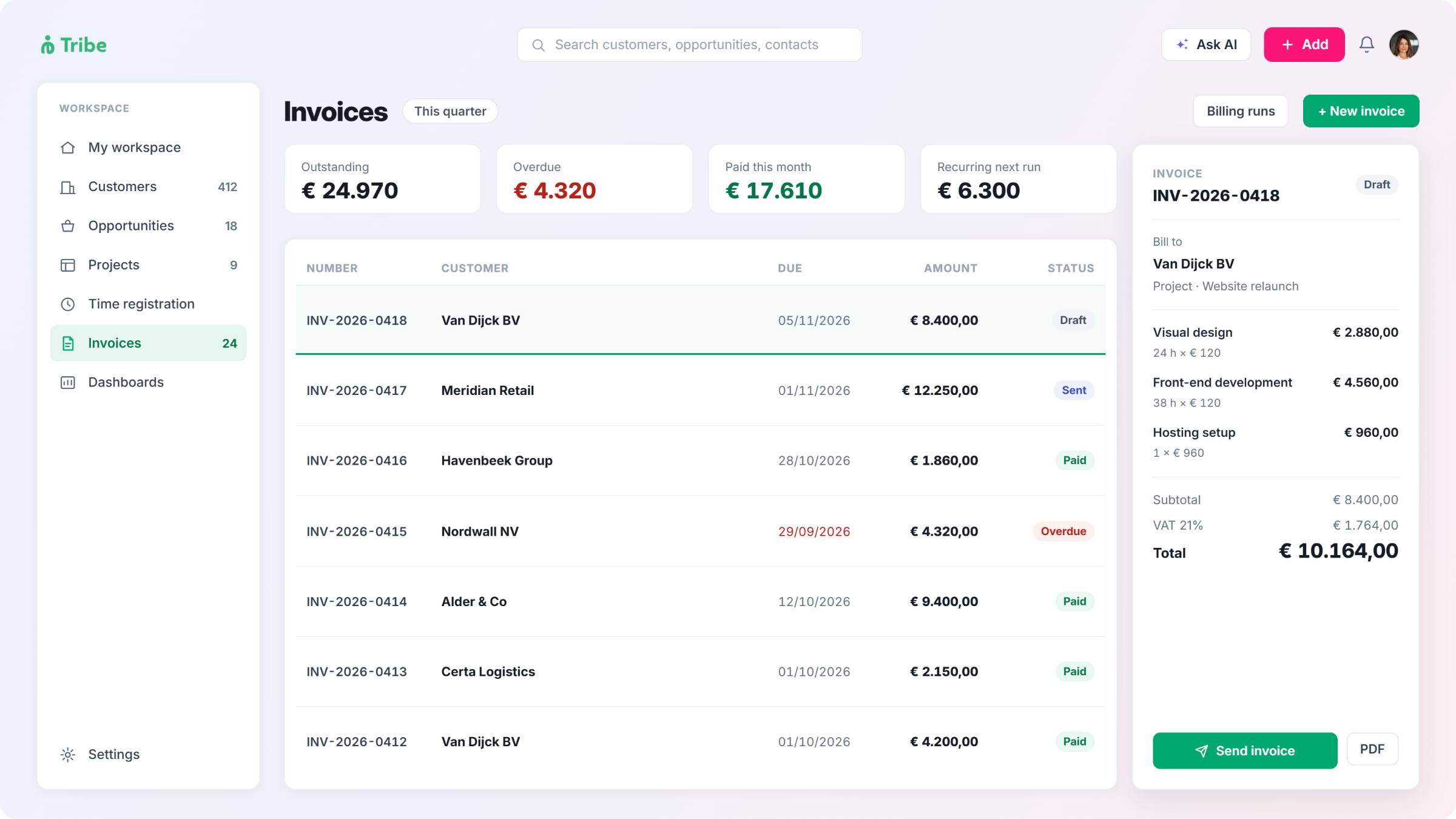
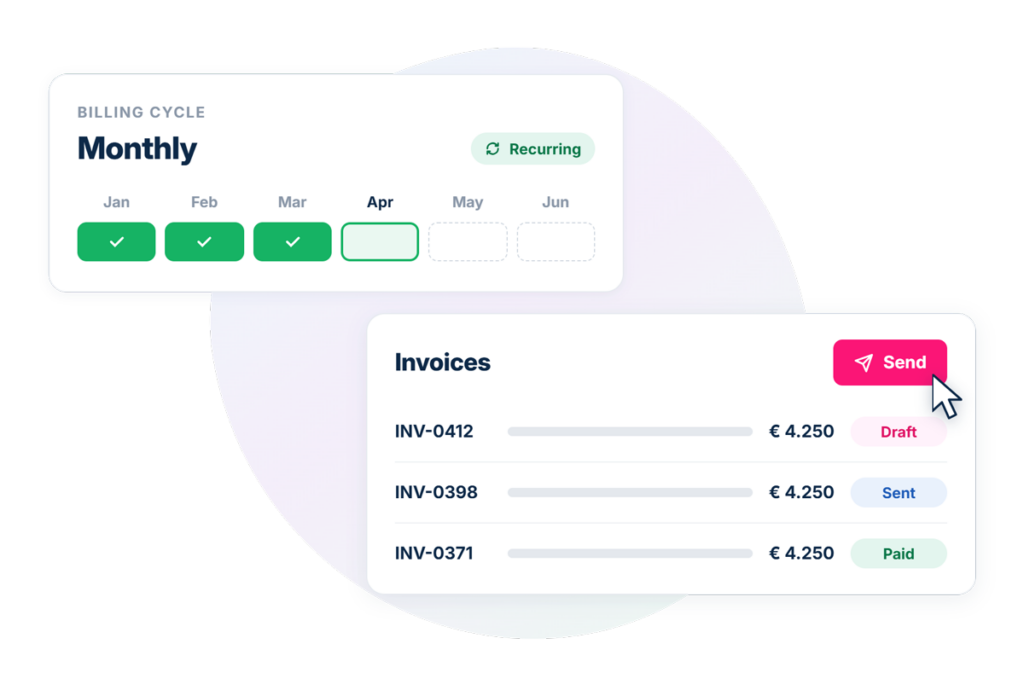
HubSpot's invoices are free to send from a deal, but recurring billing, subscriptions and quote automation sit behind a higher-tier plan. Tribe includes these from its entry-level plan, so a consultancy or accounting firm gets the full billing cycle from day one.
tribe vs hubspot invoicing

Time registration without a separate app

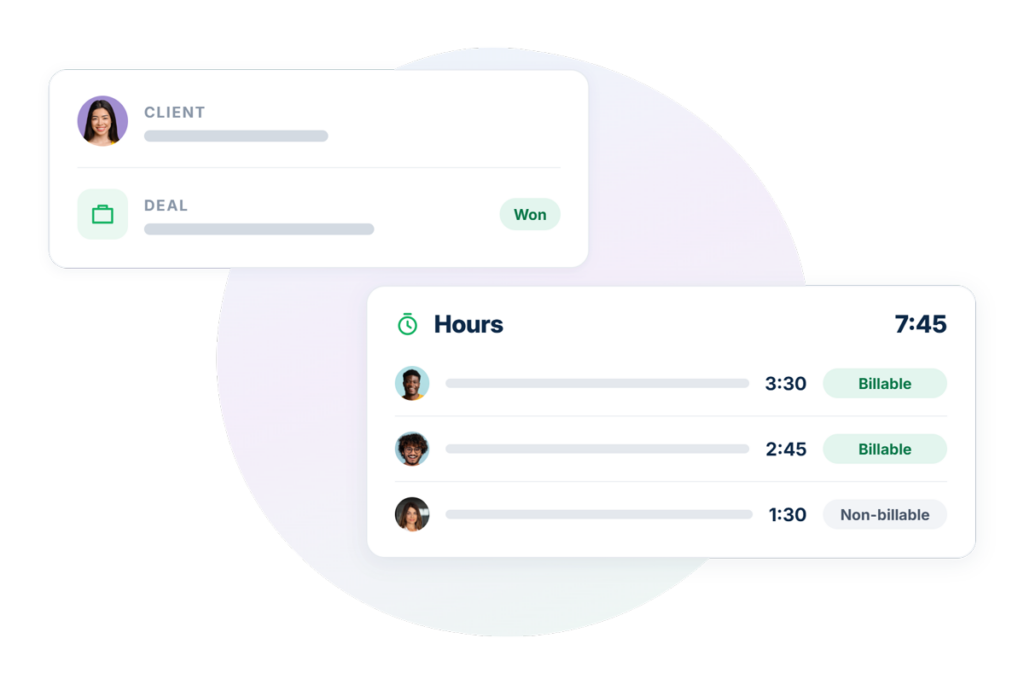
HubSpot has no native time tracking. Tribe logs billable and non-billable hours in the CRM itself, on the same record as the client and the deal.
tribe vs hubspot on time registration

Project management on the client record

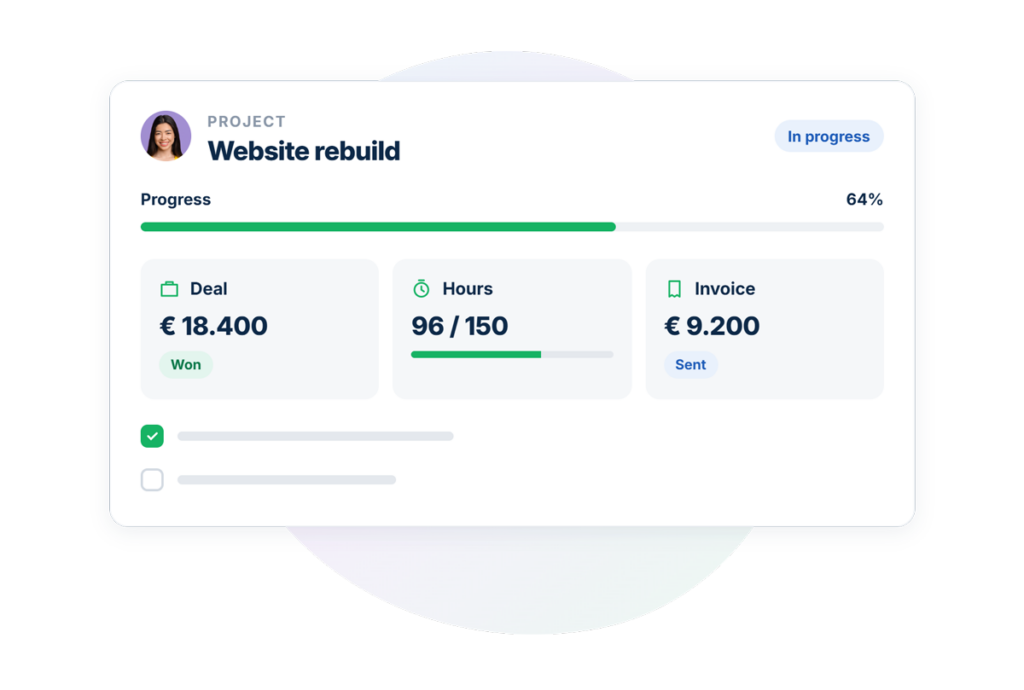
HubSpot's Projects tool handles tasks and deadlines but has no native link to time logged or budget spent. Tribe's project management sits on the same record as the deal and the invoice, so progress, hours and billing are grouped together.
tribe vs hubspot on project management

Pricing built around seats, not contact size

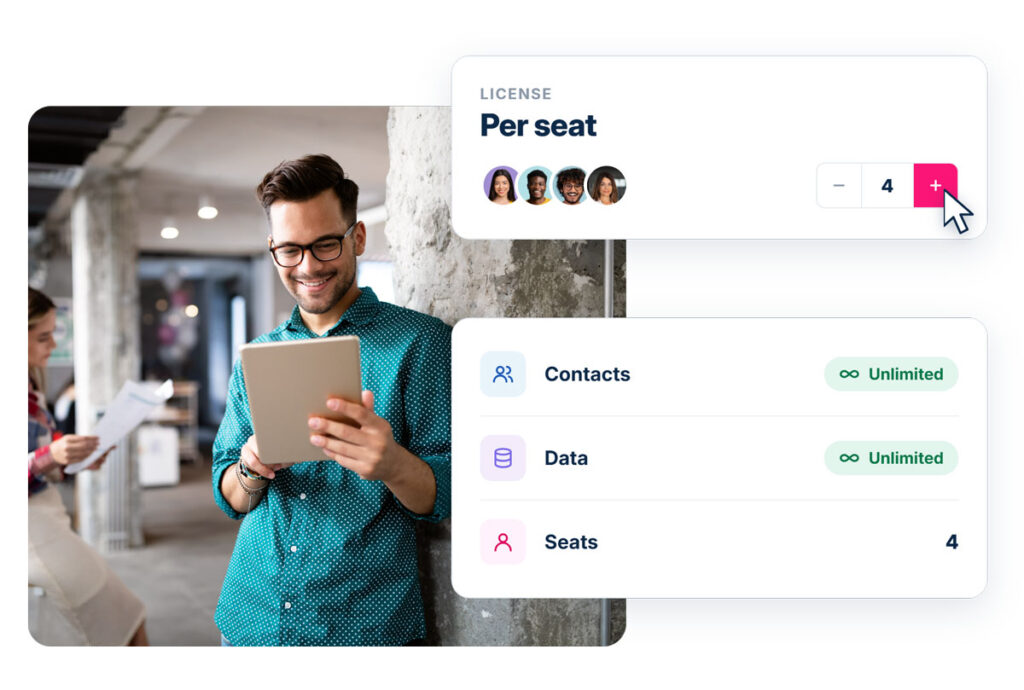
HubSpot's plans add separate charges for marketing contacts and AI credits on top of the seat price. Tribe charges per seat only, with no limit on contacts or data.
tribe vs hubspot on pricing

See how Tribe handles your day-to-day

Start a 14-day free trial. No credit card, and your data stays on Tribe's European servers.
Start your free trial

HubSpot vs Tribe CRM

Tribe CRM

HubSpot

Started as Sales and operations, for European small and mid-sized firms Marketing software, now sales, service, content and billing
Built for Billing, projects and time tracking, native in the CRM Marketing and sales, with paid hubs for the rest
Data hosting EU by default EU by default for new sign-ups; older US-hosted customers can migrate
Free trial ✔ ✔
Start your free trial No credit card required.

HubSpot grew out of marketing software and now covers sales, service, content and billing through separate hubs. Tribe grew out of sales and operations for European small and mid-sized firms, and bundles invoicing, project management and time registration into the CRM itself. 

The choice often comes down to how a team bills its clients. A consultancy, accounting firm or agency that tracks billable hours and invoices from a project will find that workflow built into Tribe from the start. A team that mainly needs marketing and sales tools, with billing as an occasional add-on, may find HubSpot’s wider marketing feature set a better fit. 

Both CRMs offer a free trial and both scale into enterprise-size teams. Tribe, as a European company, hosts data in the EU by default. HubSpot hosts new EU sign-ups in its Frankfurt data centre by default too, and lets existing customers on an older, US-based setup migrate on request. The real differences between the two sit in what each plan includes by default, and how steep the jump is to the next tier.

Contacts, deals and pipeline: both cover the basics

Both tools cover the basics well.

tribe vs hubspot sales pipeline

HubSpot’s free CRM tracks contacts, companies, deals and tasks, with no time limit, and ships with seven default deal stages that can be renamed or reordered, each with its own custom probability. It caps active (core) seats at a handful, though view-only seats are unlimited, and its free tier is limited to one pipeline; running more than one needs a paid seat and up.

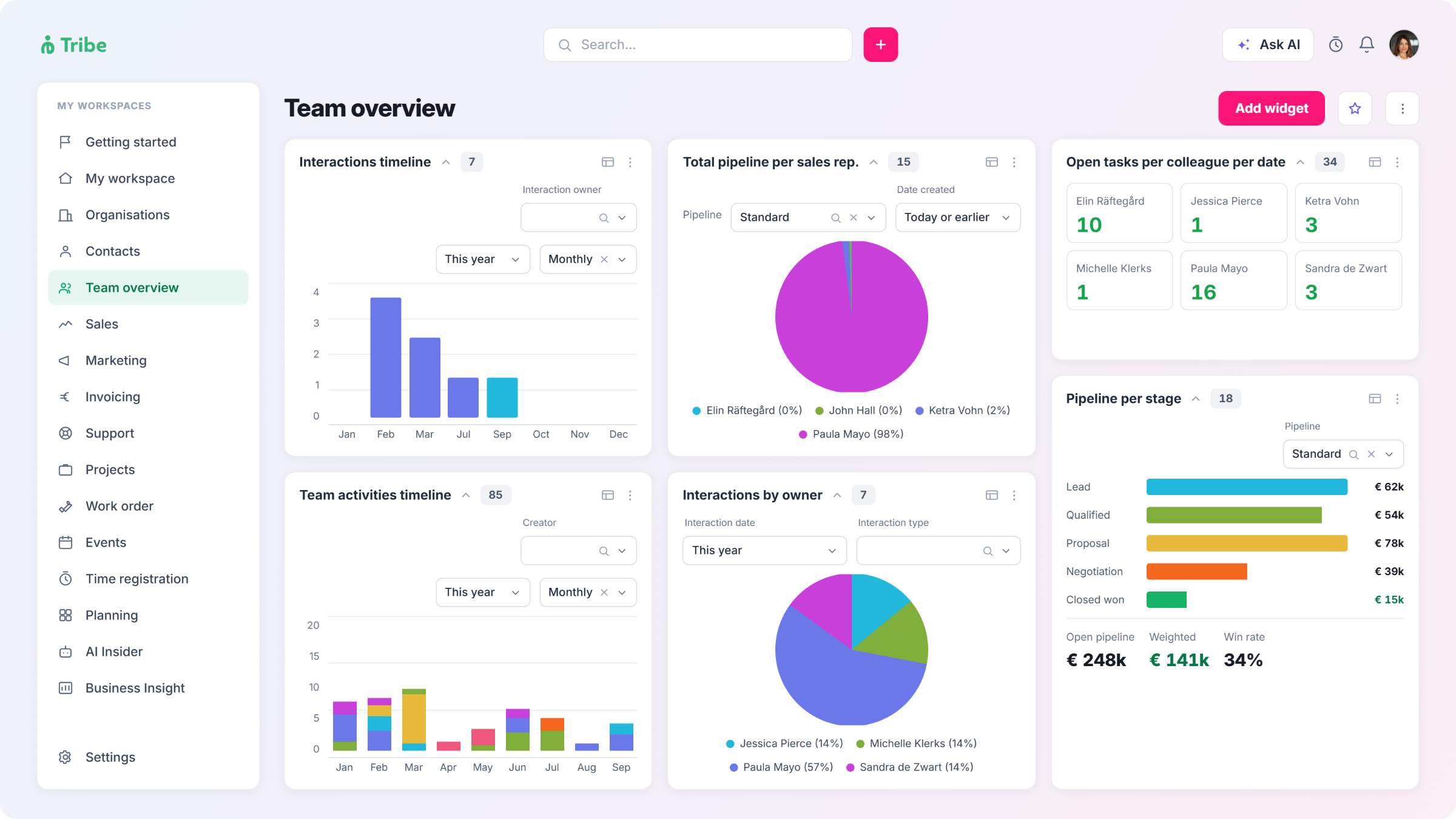
Tribe’s CRM covers the same ground from its Essential plan. Leads run through a dedicated pipeline, separate from the sales pipeline, moving through named stages: New, Working, MQL, SQL, then Qualified or Disqualified, and convert automatically into a prospect with a linked sales opportunity once qualified. Each opportunity is built from four parts (details, phases, products and activities), Tribe supports multiple pipelines where sales processes genuinely differ, and the entry plan adds 25 custom widgets, standard dashboards, and a 360-degree view of each contact.

The difference shows up in scope, not in the pipeline itself. HubSpot’s free CRM is a genuine starting point for a small team with no budget. Tribe doesn’t offer a free tier, but its entry plan already includes time registration, recurring billing and subscriptions, with e-signature available through a connected provider, none of which HubSpot’s free and Starter plans offer. HubSpot’s free and Starter plans can still create a basic invoice; they just can’t automate it.

CRM and sales pipeline in summary

Both cover contacts, deals and pipeline; the difference is what’s included beyond that.

Invoicing: the full billing cycle, or just the invoice

Both CRMs can send an invoice from a deal. The difference is in what comes with it, and at what price. 

hubspot alternative

HubSpot’s invoices are free to create, from a deal record, a quote or the invoices page, and finance teams can manage them without a paid seat. Recurring billing, subscriptions, contracts and quote automation sit behind a higher-tier plan. HubSpot’s own payment processing only runs in the US, UK and Canada; European businesses route payments through Stripe instead. 

Tribe includes invoicing, recurring billing and subscriptions from its entry plan. A quote converts straight into an invoice, with e-signature available through a connected provider like ValidSign or DocuSign, invoices pull details from the deal without a manual step, contracts store their own automated billing schedule, invoices can send and receive through the Peppol e-invoicing network via a connected provider, and payment links can run through Mollie, a European payment provider, rather than a separate checkout tool. For a consultancy or accounting firm that bills every client through a subscription or a recurring project, this is the practical difference: the full billing cycle from the entry plan, rather than the invoice alone. 

Invoicing and billing in summary

Both can invoice from a deal; Tribe includes the full billing cycle from entry, HubSpot’s full cycle needs a higher-tier plan. 

Time tracking: built in, or a marketplace app

HubSpot has no native time tracking. Third-party reporting on HubSpot’s product roadmap lists time tracking and resource management as planned for later in 2026, not something that has shipped. Teams that need to log billable hours today connect a marketplace app, most commonly PSOhub or a similar tool built for HubSpot, with its own login, its own setup and its own sync back to the deal.

Tribe registers hours from its Essential plan through a timer that starts and stops from the top navigation bar, through manual entry after the fact, or by switching on hour registration directly on a task or appointment — in every case linked to a project, opportunity, work order, subscription or contact, and split into billable and non-billable time, with no separate app, login or sync required. For a consultancy, an accounting firm or any team that invoices by the hour, this sits at the centre of daily work rather than at the edge of it.

Time registration in summary

Tribe includes time registration from entry level tier; HubSpot has no native time tracking.

HubSpot project management vs projects tied to hours and invoices

HubSpot launched a native Projects object in September 2025, with tasks, owners, due dates and, since early 2026, Gantt-style views. It handles task lists and deadlines next to CRM data.

hubspot alternative project management

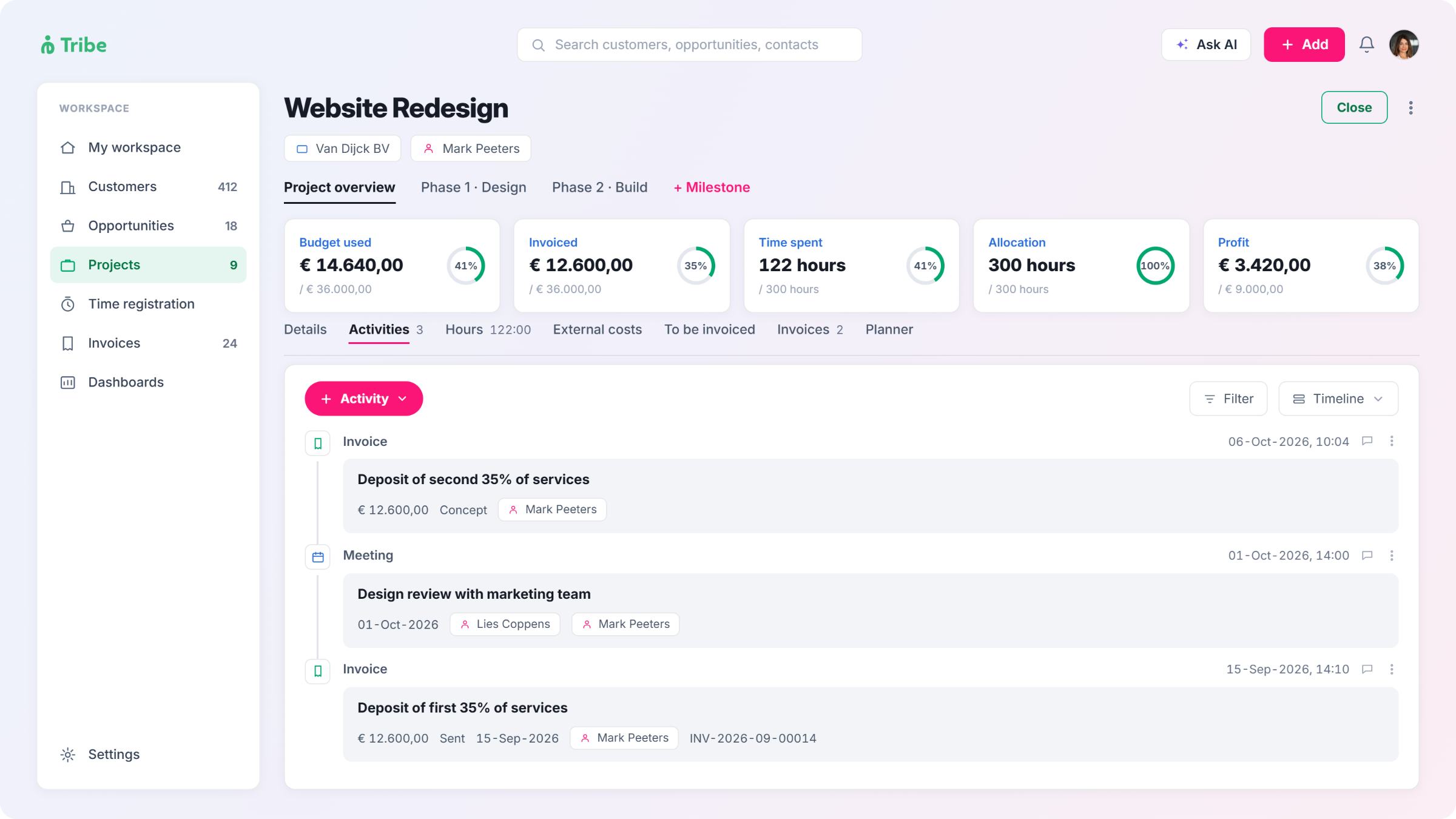
What it doesn’t yet do is connect to time or money. There’s no way to log hours against a HubSpot task or to see budget spent against a project without a separate app. Tribe’s project management feature, available from the Advanced plan, opens directly from a won sales opportunity with the deal’s data carried over automatically, and tracks milestones with their own budget and timeline, hours split between billable and non-billable, external costs, and a running profit figure calculated from hours and invoices minus those costs, all on the same record as the deal, so a manager sees the full picture without leaving the client record.

Project management in summary

Tribe links projects to the deal and the invoice; HubSpot’s Projects tool handles tasks and deadlines only.

Workflow automation: where each plan stops

HubSpot’s free plan has no workflow automation. Starter adds simple automation, built around single-step triggers like a form submission or a property change, plus email sequences. The full workflow builder, with branching logic, multi-step rules and triggers across deal stage, date and custom properties, needs a Professional plan.

tribe crm vs hubspot workflow automation

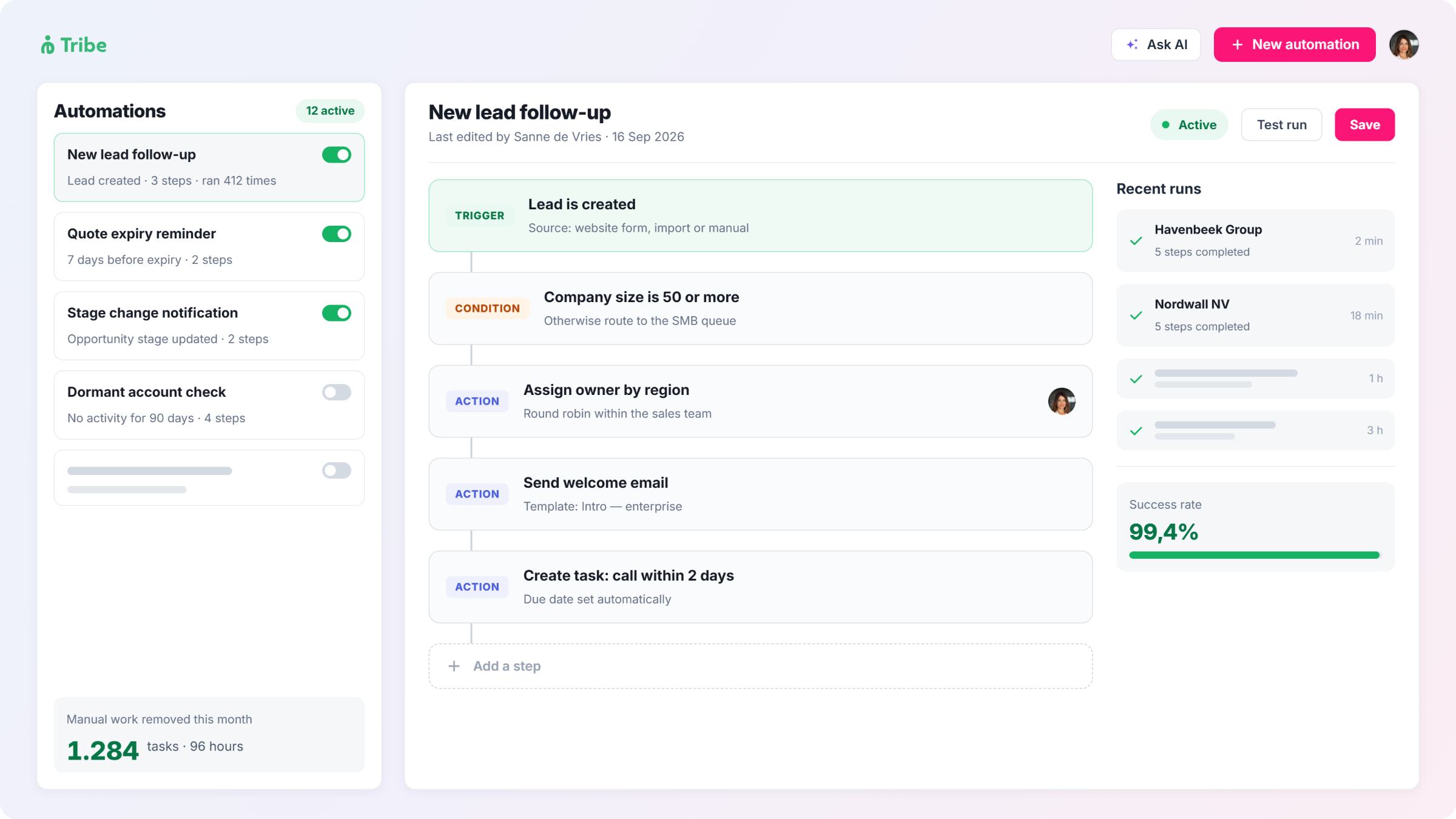
Tribe includes simple workflow automations from the Essential plan, triggered by a time lapse or a pre-defined condition. Tribe includes workflow automations from the Essential plan, triggered by a time lapse or a pre-defined condition. Advanced makes them unlimited and adds if/else steps, automatic assignment and email automations, and Ultimate adds time-based automations. For associations and membership organisations running renewal reminders, or government teams following a fixed process for every case, this sets the point at which automation stops being a manual task list and starts running itself.

Workflow automation in summary

Tribe scales to unlimited automation from Advanced; HubSpot’s full workflow builder needs a Professional plan.

AI: included on every plan, or gated by tier

Both CRMs build AI into the product rather than selling it as a separate add-on.

HubSpot’s AI assistant sits in the interface and drafts emails, summarises records and suggests next steps, with a basic version on every plan, including free. It can also build an ideal customer profile on request, by analysing patterns across an account’s closed-won deals. It transcribes calls and meetings too, and includes a read on the caller’s sentiment as part of that summary, though this needs a Professional or Enterprise seat. Data enrichment, which fills in missing company and contact details, needs a paid plan too; it isn’t available on the free tier.

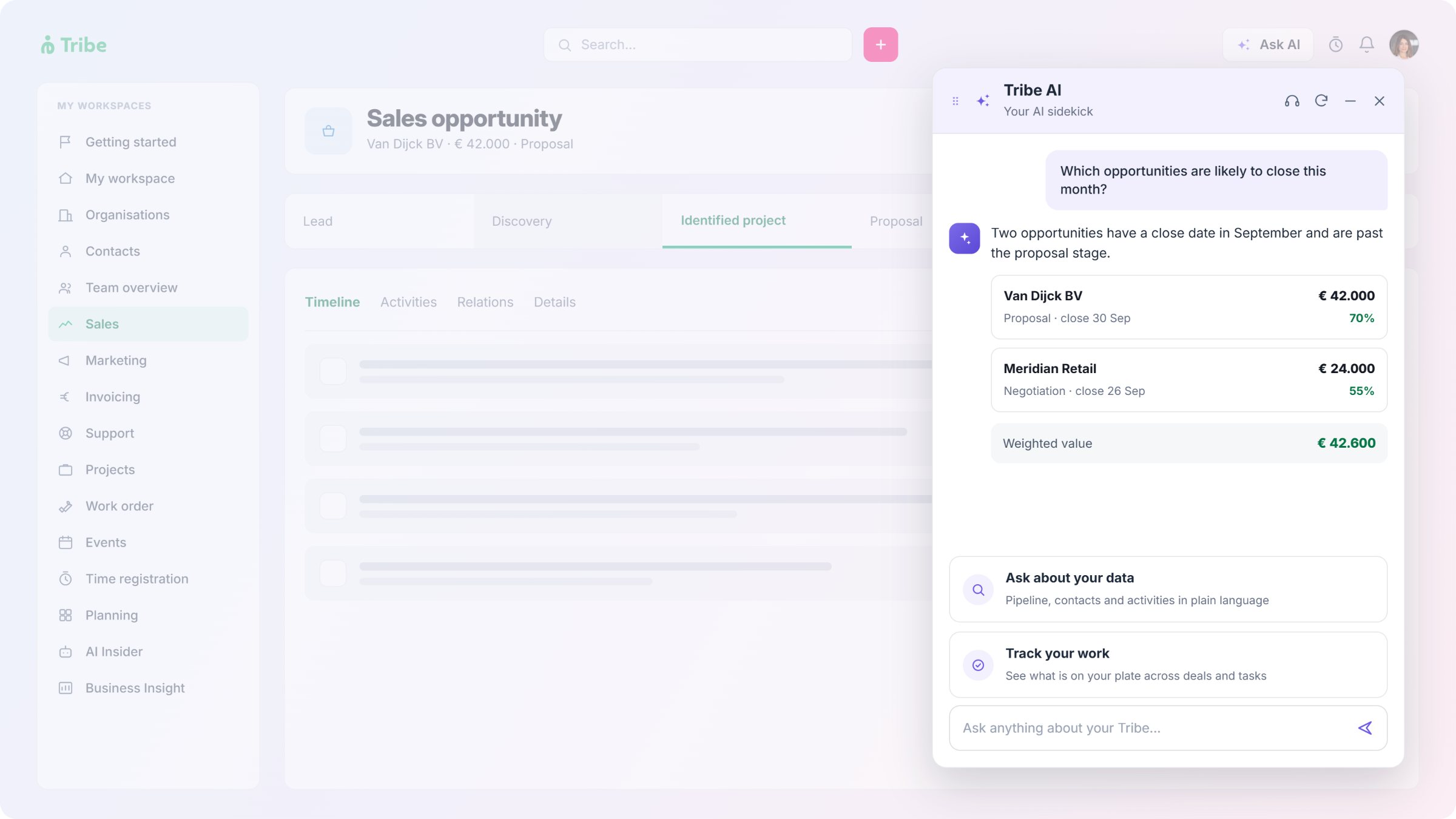
Tribe’s AI runs inside the CRM itself. Its built-in assistant, sentiment analysis on emails from Gmail and Outlook and AI-Assisted ICP are all included from its entry plan, with no separate credit or outcome-based charge. AI lead enrichment, lead scoring and a competitive landscape summary, built from the account’s own data, need its second plan. Tribe doesn’t transcribe calls natively; teams that want that connect a marketplace app such as Leexi.

AI features Tribe CRM HubSpot

Built-in assistant

Sentiment analysis

Data enrichment

Ideal customer profile

Competitor analysis

Call and meeting notes

Billing

✔ All plans

✔ On emails, all plans

✔ From Advanced 

✔ All plans

✔ From Advanced

Marketplace app needed

Included in seat price

✔ All plans

✔ On calls, Professional and up

✔ Paid plans only

✔ All plans, including free

Not offered as a named feature

✔ Professional tier and up

Assistant included; agents billed per outcome

Tribe folds every AI feature into the seat price. HubSpot’s assistant is free on every plan, but sentiment analysis, data enrichment and call transcription all need a paid plan, and its autonomous agents, which carry out a full task on their own, cost more again, billed by outcome on top of the seat price. 

AI features in summary

Both build AI into the product; Tribe includes most of it on every plan, HubSpot gates more of it by tier.

HubSpot onboarding fees and Tribe’s self-service setup

Tribe is built to run without a consultant. Its workflows come ready to use, and Tribe’s own materials describe teams going live in weeks rather than months, through guided but self-service setup rather than a lengthy implementation project.

HubSpot’s Starter plan is also self-service, with no onboarding fee. Its Professional and Enterprise plans add a mandatory, one-time onboarding fee, charged once at the start of the contract. HubSpot’s own onboarding runs as a guided, coaching-style process: structured calls with tasks in between, where the team builds the setup with guides rather than having it built for them. Some HubSpot partners offer a fully managed setup instead, sometimes without the separate fee.

For a team that wants to configure the system without outside help, that’s the practical difference. Tribe’s self-service model applies on every tier. HubSpot’s applies fully only on Starter.

Onboarding and setup in summary

Tribe is self-service on every plan; HubSpot’s Professional and Enterprise plans add a mandatory onboarding fee.

What you pay for: onboarding, support and seats

Support scales with the plan on both sides. HubSpot’s free tier gets a knowledge base and community forum. Starter adds chat and email support. Phone support arrives at Professional, and HubSpot’s own help pages note that phone support runs in English only.

Tribe offers chat and email support in English, Dutch, French and Scandinavian languages on every plan, with phone support added from the Advanced plan on contracts above a minimum annual value. For a team based in Benelux, France or the Nordics, this changes who can actually get help without switching to English first.

Pricing shape is where the two products diverge most. HubSpot’s entry plan is priced for a single user or a very small team, and it has no seat minimum on its paid plans, so a solo consultant can run a paid plan alone. Tribe requires at least two seats on its Essential and Advanced plans, and five on Ultimate, so it’s built for a team rather than one person working alone.

The two vendors also bill differently once a database grows. HubSpot prices marketing contacts by block, in units of 1,000, so a growing mailing list adds a second cost on top of the seat price. Tribe’s pricing page states plainly that it charges per seat with no contact limit, so a database of 500 contacts or 50,000 costs the same. For an association or membership body with a large, slow-moving contact list, that’s a cost that stays flat as the list grows, rather than one that rises with it.

Contract length is worth checking too. HubSpot’s Starter plan can run month-to-month, which suits a team still deciding. Its Professional and Enterprise plans usually ask for an annual term. Tribe bills quarterly or annually across all three plans, with a discount for paying annually, so there’s no tier where a longer contract is the only option. The next plan up changes the pricing logic itself: some hubs move to a flat monthly platform fee, others stay per seat but rise sharply, and most of the automation and reporting a growing team wants sits behind that step. It’s worth checking HubSpot’s pricing page directly, since the figures move from time to time.

Tribe uses three plans, and each one adds a defined set of features rather than a change in pricing logic. Moving up a tier adds project management, ticketing and unlimited automation, at a per-seat increase rather than a jump to a flat platform fee. Current rates for each plan are on Tribe’s pricing page.

Support and pricing in summary

Tribe scales gradually across three plans with local-language support; HubSpot’s Starter-to-Professional jump changes the pricing logic itself.

HubSpot vs Tribe CRM by industry

For consultancies
If billable hours, project budgets and client invoices need to sit in one place, Tribe's Advanced plan covers all three from a single client record. HubSpot works too, once a marketplace app is added for time tracking and a higher-tier plan is added for invoicing automation.
For accounting firms
Recurring client billing and deadline tracking sit at the centre of the work. Tribe includes recurring invoicing and project management from its early plans. HubSpot covers similar ground at a higher-tier plan, once a firm moves past manual invoice creation.
For associations and membership organisations
Renewal reminders, event registration and recurring dues all rely on automation and invoicing working together. Tribe includes both from its Essential plan. HubSpot's automation and billing tools can do this too, but the full set needs Professional-tier hubs.
For government and public sector teams
Budget predictability across a multi-year contract, and support in the local language, both matter here. Tribe's three-tier structure and local-language phone support fit a fixed procurement cycle. HubSpot's data centre in Frankfurt covers EU data residency, but its steeper Professional pricing and English-only phone line are worth weighing against a long-term budget.
Industry Tribe CRM fits when HubSpot fits when

Consultancies

Accounting firms

Associations and membership orgs

Government and public sector

Billable hours and project budgets need to sit on one record

Recurring billing and project tracking run together

Renewal automation and invoicing work as one, regardless of list size

Budget predictability and local-language support matter most

Marketing tools matter more than time tracking

Invoice volume is low and manual entry is enough

Broader campaign tools matter more than dues management

Existing familiarity with HubSpot outweighs procurement fit

Frequently asked questions

For consultancies, associations, government teams and accounting firms, yes, provided invoicing, time registration and project management inside the CRM matter more than a wider marketing feature set. Teams that need HubSpot’s broader marketing tools, or want to start on a free plan, may find HubSpot the better starting point. 

No. Tribe’s pricing page states that it prices per seat with no contact limit on any plan. HubSpot, by contrast, bills marketing contacts in blocks of 1,000 on top of the seat price.

HubSpot costs less to start, and it offers a free plan. Tribe’s entry plan starts at €39 per seat per month, but it includes time registration and a full recurring-billing cycle. HubSpot adds recurring billing in full once you reach its Professional tier, but doesn’t add native time registration at any tier. Both vendors update their prices from time to time, so check HubSpot’s pricing page and Tribe’s pricing page for current rates. 

Not natively, as of September 2026. Third-party reporting on HubSpot’s roadmap lists time tracking as planned for later in the year. Teams that need it today connect a marketplace app. 

Yes, from the Advanced plan. Projects sit on the same record as the client and the deal, with milestones, budget and time logged in one place. 

Yes. Its built-in assistant, sentiment analysis on emails and AI-Assisted ICP are included on every plan. AI lead enrichment, lead scoring and a competitive landscape summary, built from the account’s own data, need its second plan. 

Yes. A basic AI assistant is included on every plan. It drafts emails, summarises records, suggests next steps, and can build an ideal customer profile on request. Sentiment analysis, data enrichment and call transcription all need a paid plan. Autonomous agents that carry out a full task on their own cost more, billed by outcome. 

Yes. HubSpot’s invoices are free to create from a deal. Recurring billing, subscriptions and quote automation need a higher-tier plan. 

Yes, for customers who sign up from Europe, the UK, Switzerland, Russia, the Middle East or Africa, HubSpot hosts data in its Frankfurt data centre by default. Existing customers on a US data centre can migrate on request. 

Tribe offers chat and email support in English, Dutch, French and the Nordic languages on every plan. HubSpot’s phone support runs in English only, though chat and email may vary by hub and region.