Free Trial
Free Trial

Microsoft Dynamics 365 alternatives: how Tribe CRM compares

Compare features and pricing side by side. The difference comes down to how much arrives in one subscription and how much gets licensed app by app. Both cover contacts, deals and reporting well. They differ most in billing, time tracking and project management.

Comparison between Microsoft Dynamic 365 and tribe

A side-by-side look at both CRMs

Features

Tribe CRM

Dynamics 365 Sales

CRM and sales pipeline ✔ All plans ✔ All plans
Native invoicing ✔ All plans ⚠️ Quote-to-invoice flow, with tax entered by hand¹
Peppol e-invoicing ✔ Via a connected Peppol provider Not offered in Sales²
Time registration ✔ All plans Not offered in Sales
Project management ✔ From Advanced Not offered in Sales
AI assistant ✔ Included ✔ Copilot, from Enterprise
AI lead scoring ✔ From Advanced ✔ From Enterprise
AI agents ✔ Ultimate ✔ Access from Professional; running them needs Copilot credits³
No-code customisation ✔ All plans ✔ Within the Sales app⁴
Pricing structure Per user, three plans Per user, four tiers
Free trial 14 days 30 days
Start your free trial As of October 2026: ¹Larger organisations commonly route orders to a dedicated accounting or ERP system instead. ²Belgium has required structured e-invoicing for B2B transactions since January 2026, with Peppol as the standard network. ³1,000 credits come with Sales Premium; more are available pay-as-you-go. ⁴A Sales licence covers custom tables, model-driven apps and in-app workflows. Current rates are on each vendor's pricing page, since both change from time to time.
Where Tribe differs from Dynamics 365 Sales

Three differences worth a closer look.

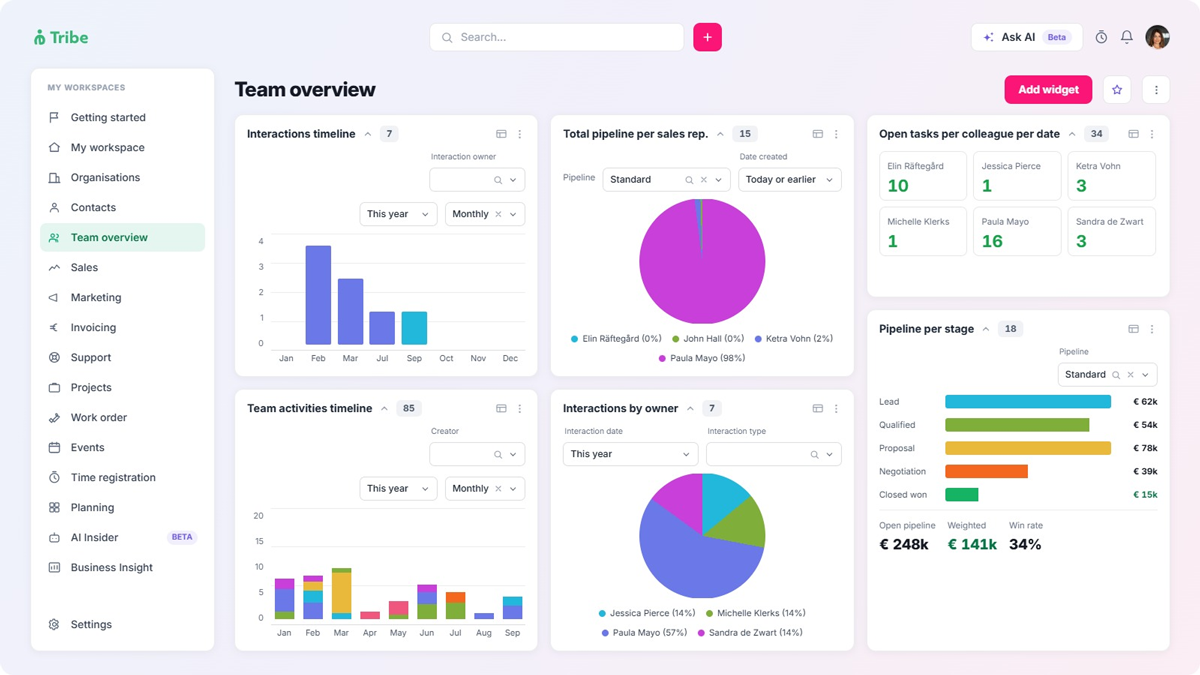
Time tracking, projects and AI in one subscription

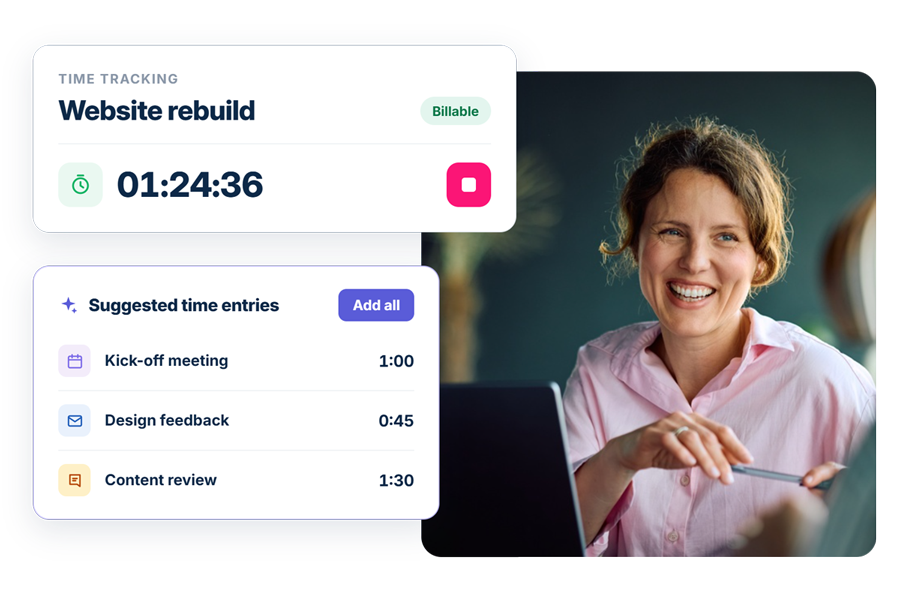
Tribe includes time tracking and AI from its entry plan, with project management from Advanced. In Microsoft’s suite, time tracking and project management sit in Project Operations, a separate product, and running AI agents needs Copilot credits plus an Azure subscription, each billed on its own.
microsoft dynamics time tracking ai

Customisation without extra licences

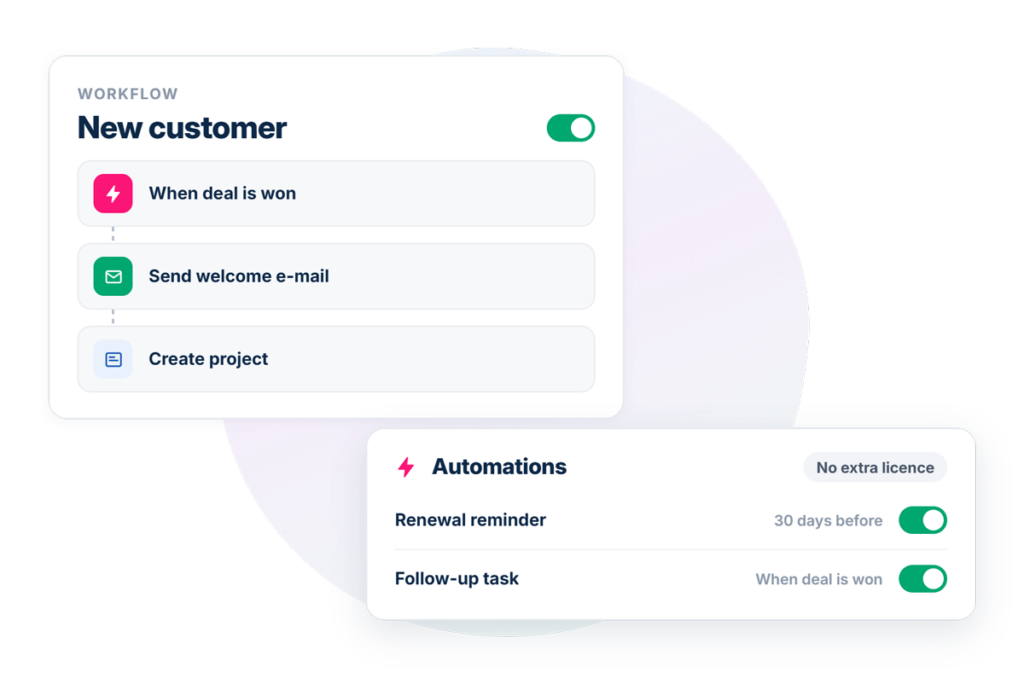
Tribe offers price lists and custom fields on every plan, automations from Advanced, and custom entities on Ultimate. Dynamics 365 Sales can be customised within the Sales app, and standalone apps and automations built with Power Apps or Power Automate need separate licences.
microsoft dynamics vs tribe crm automations

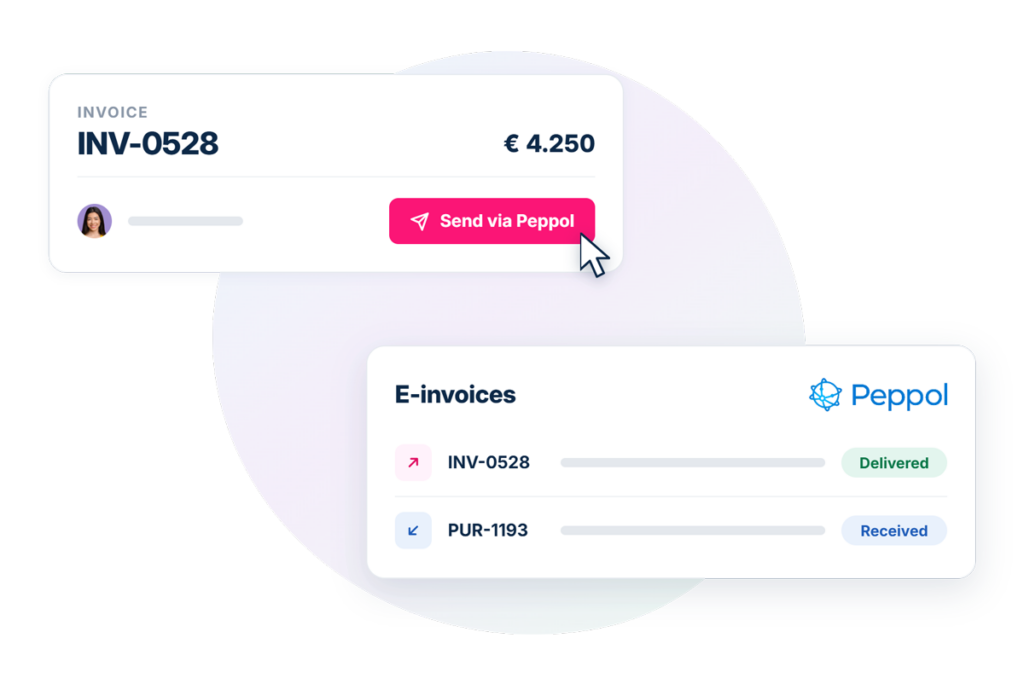
Peppol e-invoicing from the CRM

Tribe sends and receives Peppol e-invoices from inside the CRM, using a connected provider. In Microsoft’s suite, Peppol e-invoicing sits in Business Central, a separate product, usually with a partner app to connect it to the Peppol network.
microsoft peppol e-invoicing

Try billing, time tracking and AI, without multiple licenses

Start a 14-day free trial, no credit card needed.
Start your free trial

Dynamics 365 vs Tribe CRM

Before comparing features, it helps to know that “Dynamics 365” refers to Microsoft’s own ecosystem of business applications, Sales, Customer Service, Field Service, Finance, Supply Chain Management, Business Central, Project Operations, and more, each licensed separately. Despite the shared branding, it’s a different product line from Microsoft 365 (Outlook, Teams, Word, Excel) and from Azure, Microsoft’s cloud computing platform. This comparison focuses on Dynamics 365 Sales specifically, the product inside that suite that competes with Tribe as a CRM; where the two diverge because of something elsewhere in Microsoft’s ecosystem, that’s named explicitly rather than folded into the Sales comparison itself.

Dynamics 365 and Tribe both start from a CRM, but they fit different kinds of organisation. Dynamics 365’s apps are aimed at organisations with dedicated sales, service and finance leads. Tribe is built to work without that structure in place.

Tribe CRM

Dynamics 365 Sales

Started as Dutch-based CRM, part of a 20-year European group Part of Microsoft's enterprise business applications suite
Built for Sales, billing, time and delivery in one subscription Pipeline and opportunity management, with other needs met by separate Dynamics 365 products
Product structure One subscription One of several Dynamics 365 products; Microsoft 365 and Azure are separate product lines
Mobile access Browser-based Native mobile app
Deployment Cloud only Cloud on any plan; on-premises available on Enterprise and above
Start your free trial No credit card required.

Dynamics 365’s customer engagement apps, such as Sales, Customer Service and Field Service, read and write to the same Dataverse platform, so a case opened in Customer Service references the same customer record used in Sales, with no sync job holding it together. Finance and Business Central run on their own databases and connect to Dataverse through integration. It’s strong engineering, built for an organisation running several of these apps together.

Where the two diverge is what a single subscription includes. Tribe’s entry plan covers sales, billing and time tracking together. Dynamics 365 Sales covers the pipeline; invoicing is present but basic, and time tracking and project management live in a separate product, Project Operations, licensed and priced on its own.

 Pipeline: both solid, forecasting costs an upgrade

Dynamics 365 Sales routes leads and opportunities automatically through a rule-based assignment engine, matching seller territory, attributes and lead score. Predictive lead scoring, ranking each lead from 0 to 100 based on historical conversion data, and AI-driven sales forecasting are both available from the Enterprise tier; Sales Professional covers lead and opportunity management without them.

sales and pipeline comparison between tribe and Microsoft dynamics 365

Sales sequences automate follow-up calls, emails and tasks across a deal’s lifecycle, and territory and quota management track performance against assigned targets, both from Sales Professional up. A won opportunity moves through a quote, which converts to an order, then an invoice, each step editable and lockable for pricing.

Tribe moves a lead through qualification stages you can adjust to your process, converting it automatically into a linked opportunity built from four parts: details, phases, products and activities, with a full audit trail of every change. Automatic assignment routes leads and deals to the right team member, Ask AI checks for duplicates before creating a new record, and Tribe flags deals that have stalled for longer than a set period. Advanced adds AI enrichment, such as lead enrichment and lead scoring. Tribe supports multiple pipelines where sales processes differ, and reporting runs through KPIs, which can be built on any record type, such as opportunities, leads or support tickets, with targets per employee, team or organisation, shown in dashboard widgets.

Sales and pipline in summary

Both move an opportunity through a structured pipeline. Dynamics 365 adds forecasting, sales sequences and territory management; Tribe adds AI lead enrichment and lead scoring from its Advanced plan.

Invoicing: native in Tribe, manual tax entry in Dynamics

Dynamics 365 Sales includes a quote-to-order-to-invoice flow: a won quote converts to an order, the order converts to an invoice carrying its product lines across automatically, and that invoice can be marked paid in full or partially paid. Tax isn’t calculated per line item, though, and has to be entered by hand on each quote, order and invoice. Organisations with real accounting needs commonly route the order electronically to a dedicated finance or ERP system, such as Business Central or Dynamics 365 Finance, both separate, separately priced products, rather than relying on Sales’ invoicing as the final step. Third-party apps on Microsoft’s marketplace add recurring invoice automation, which Sales doesn’t handle natively. Peppol e-invoicing, required for B2B transactions in Belgium since January 2026, also sits outside Sales: Business Central supports the Peppol invoice format, usually with a partner app to connect it to the Peppol network.

Tribe’s invoicing works differently. A quote converts directly into an invoice on the same record as the deal, with tax and line items carrying across automatically, no manual re-entry at any step. Recurring billing and subscriptions work the same way from the entry plan, e-signature is available through a connected provider like ValidSign, Peppol e-invoices can be sent and received from inside the CRM using a connected Peppol provider, and payment links can run through Mollie, a European payment provider.

Invoicing in summary

Dynamics 365 Sales can generate a real invoice, but it stops short of what a dedicated billing system does; Tribe’s invoicing is native from the entry plan.

Time and projects: not in Dynamics 365 Sales at all

Time registration and project management don’t exist inside Dynamics 365 Sales. Project Operations is the separate Dynamics 365 product that covers this, licensed on its own per-user basis: embedded Microsoft Project tools for scheduling and Gantt charts, resource profiles that match skills to projects, flexible billing models (fixed-price, time and materials, or retainer), and project invoices built from logged hours, materials and billing schedules. Full accounts payable, receivable and general ledger still requires connecting to Dynamics 365 Finance or an external ERP system, the same pattern as Sales’ own invoicing.

time tracking tool in tribe crm and microsoft

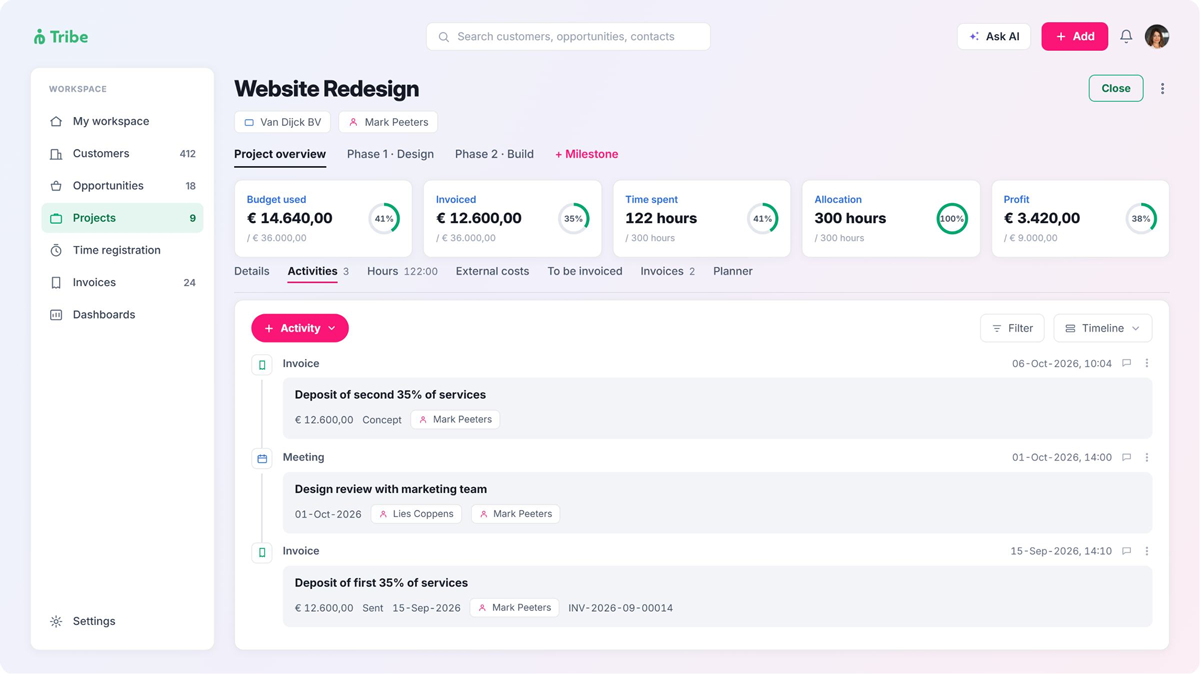
Tribe includes both inside the CRM itself. Time registers through a timer, manual entry, or directly from a task, linked to a project, opportunity, work order, subscription or contact, split into billable and non-billable hours. Project management, from the Advanced plan, opens from a won opportunity and tracks milestones with their own budget and timeline, hours, external costs and a running profit figure, all on the same record as the deal and the invoice. A work order can be added directly to the project for on-site registration of time and delivered products, and logged hours can be sent straight to billable status, a new invoice, or an existing draft invoice from the project record itself, connecting time tracking directly to the invoicing covered above.

Time tracking and project delivery in summary

Neither is part of Dynamics 365 Sales at all; both require Project Operations, a separate product. Tribe includes time tracking from its entry plan and project management from the Advanced plan.

AI: one subscription, or three

“Copilot”, Microsoft’s AI assistant, used across its whole product line. Within Dynamics 365 Sales, baseline Copilot capabilities, such as contextual insights, lead and opportunity summaries and natural-language chat, are included from the Enterprise tier. Running agents, such as the qualification, opportunity and research agents, needs Copilot credits: 1,000 come with Sales Premium, and more are available pay-as-you-go or as a pre-purchased commitment. Using those agents at all needs an active Azure subscription to connect them. For the fuller Copilot experience inside Outlook and Teams, a Microsoft 365 E3 or E5 subscription is also needed alongside the Dynamics 365 Sales licence. That’s three separate subscriptions, Dynamics 365, Microsoft 365 and Azure, for the complete AI experience.

Copilot runs inside Microsoft’s EU Data Boundary, though since April 2026 it can process some data outside the EU during busy periods until an admin switches this off in the Power Platform admin centre.

mircosoft and tribe ai comparison

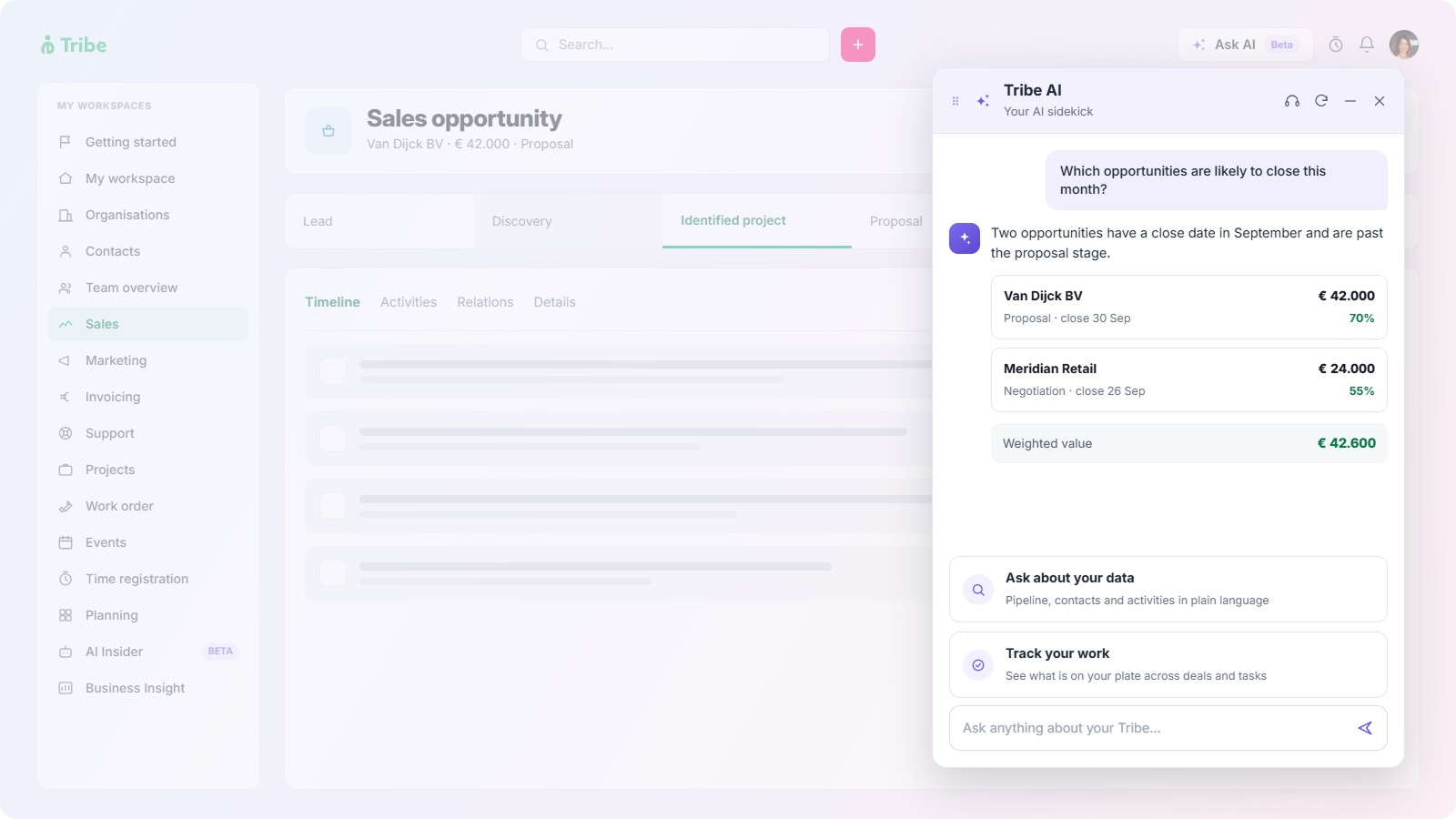
Tribe’s AI runs from the entry plan with no extra subscription or credits. From the entry plan, it scans emails in Gmail and Outlook to assess customer sentiment and draft replies, and includes the built-in AI assistant and AI-Assisted ICP. Advanced adds AI enrichment, such as lead enrichment and lead scoring, manual fine-tuning on the ICP, and Competitive landscape analysis. Ultimate adds call preparation and competitive analysis, with more agents being added. Competitive landscape analysis is available from Advanced, and AI agents for lead generation and meeting preparation come with Ultimate. Tribe’s CRM application and database sit on EU infrastructure, and each feature sends only the records a task needs to a third-party model, mainly Anthropic’s Claude, with Google’s Gemini used for AI-Assisted ICP and Competitive landscape, and OpenAI for some analysis tasks. Those providers process each request on US servers. Nothing is stored there afterwards, none of it trains a model, and any new record an AI feature creates needs a person to approve it first.

AI features in summary

Both build AI into the product. Dynamics 365’s full AI experience spans three subscriptions. Tribe’s AI is part of each plan, with Advanced and Ultimate adding more features.

Customisation and no-code configuration

Tribe’s configuration covers more than pricing and products. From the entry plan, you can set prices for different customer groups, promotions or order volumes, adjust product settings such as partial quantities or who can change a price, and build up to 25 custom dashboard widgets. Advanced adds unlimited automations for routine steps, unlimited widgets, your own activity types, and conditional roles and rights for who sees what. Ultimate adds time-based automations and custom entities, which let you build your own overview pages, quick-select pages or a customer portal without code. Custom fields grow with each plan, and none of it needs a separate tool.

Dynamics 365 Sales is customised through the Power Platform, Microsoft’s set of low-code tools. A Sales licence includes the right to customise and extend the Sales app itself: adding custom tables and fields, adjusting its model-driven apps, and building workflows that run inside it. Separate licences come in once a team builds beyond that. Power Apps Premium covers standalone apps, Power Pages covers customer-facing portals, Power Automate Premium covers workflows outside the Sales app, and unattended automation, for running a bot without a person involved, needs a further purchase. Limited versions of both come with Microsoft 365 E3 or E5, with fewer connectors and runs.

Customisation in summary

Both can be configured without code; Dynamics 365 adds separate licences once customisation goes beyond the Sales app itself.

What you buy and manage on each side

Microsoft’s model lets a team buy only the products it needs and add more over time. Tribe’s model keeps its features in one subscription, with the plan deciding what’s included. 

Tribe CRM Microsoft

Products for CRM, invoicing, time, projects and AI

How it’s billed

Licence terms

Adding features later

Where admins manage it

Who provides support

One subscription

Per user, quarterly or annually

One set, covering every feature on the plan

Move up a plan

Tribe’s own settings

Tribe directly

Dynamics 365 Sales, Project Operations, Business Central or Dynamics 365 Finance, Microsoft 365 E3 or E5, and Azure

Per user for most products; Copilot credits by consumption; Azure by usage

Separate terms for each product

Add another product or move up a Sales tier

Microsoft 365 admin centre, Power Platform admin centre and the Azure portal

Microsoft or a certified partner; Business Central support runs through partners

Pricing in summary

Covering the same features takes one Tribe subscription or several Microsoft products, each bought, billed and managed on its own terms.

Dynamics 365 Sales vs Tribe CRM by industry

Across every sector, one factor carries the most weight: whether the organisation already runs on Microsoft 365. Dynamics 365 fits best inside an existing Microsoft setup. Tribe fits teams that want sales, billing, time and delivery in one system.

For consultancies
Consultancies run on billable hours, invoices and project delivery. Tribe covers all three in one subscription, with project management from Advanced and logged hours flowing into invoices from the project record. Dynamics 365 covers the same work with Sales plus Project Operations, which is built for project-based service firms and adds resource scheduling, skills matching, and fixed-price, time-and-materials or retainer contracts. That depth suits a larger firm managing many consultants across many projects.
For accounting firms
A firm billing clients for services needs invoicing that handles tax for it. Tribe includes this from the entry plan and connects to accounting software such as Exact Online, Twinfield and Moneybird. Dynamics 365 Sales needs tax entered by hand on each invoice. A firm already running its own books in Business Central can connect it to Dynamics 365 Sales within the same Microsoft platform.
For associations and membership organisations
Associations need member records, recurring dues and events in one place. Tribe includes recurring billing from the entry plan, events management from Advanced, and a login-protected portal where members can manage their requests on Ultimate. Microsoft offers nonprofit pricing on Dynamics 365 for qualifying organisations, and its nonprofit tools for volunteer and constituent management build on Dynamics 365, the Power Platform and Microsoft 365. That suits a larger nonprofit already working in Microsoft's ecosystem.
For government and public sector teams
Public sector teams weigh data location, compliance and procurement. Tribe keeps its CRM data in the EU, holds ISO/IEC 27001:2022 and ISO/IEC 27701 certification, complies with GDPR and NIS2, and comes as one subscription to procure; its AI features send only the records a task needs to US-based AI providers, with nothing stored afterwards. Dynamics 365 runs under Microsoft's EU Data Boundary, and an organisation already on Microsoft 365 can add it within an existing Microsoft relationship. Since April 2026, Dynamics 365's Copilot can process data outside the EU during busy periods unless an admin switches this off.
Industry Tribe fits when Dynamics 365 fits when

Consultancies

Accounting firms

Associations and membership orgs

Government and public sector

Billable hours, invoicing and projects need to sit in one subscription

Invoicing needs to handle tax and connect to accounting software

Dues, events and a member portal need to run in one system

EU data, published certifications and one subscription to procure matter most

Resource scheduling across many consultants and projects is a priority

The firm already runs its own books in Business Central

The organisation qualifies for nonprofit pricing and already works in Microsoft 365

The organisation already runs Microsoft 365 and wants to stay with one vendor

Frequently asked questions

Yes, for a team that needs a CRM with native invoicing, time tracking and AI in one subscription, without assembling several separately licensed products. For an organisation already running other Microsoft business applications, Dynamics 365 Sales may be the more natural fit.

No. Microsoft 365 covers Outlook, Teams, Word and Excel. Dynamics 365 is Microsoft’s separate suite of business applications, including Sales, Customer Service, Finance and Project Operations, each licensed on its own.

Per user, per month, across four tiers: Sales Professional, Sales Enterprise, Sales Premium and Microsoft Relationship Sales, which needs at least 10 seats. Other Dynamics 365 products, Microsoft 365 and Azure are priced separately. Current rates are on Microsoft’s pricing page.

Per user, per month, across three plans: Essential, Advanced and Ultimate, billed quarterly or annually. Essential and Advanced need at least two users, and Ultimate at least five. Current rates are on Tribe’s pricing page.

Partly. It generates a real invoice from a won quote, with paid or partially-paid status tracking, but tax must be entered manually per line item, and organisations with real accounting needs are commonly pointed toward a separate finance or ERP product instead.

Yes, from its entry plan, with recurring billing included on the same record as the deal, and e-signature available through a connected provider like ValidSign or DocuSign.

Not in Sales. Peppol e-invoicing in Microsoft’s suite sits in Business Central, a separate product, which supports the Peppol invoice format and usually connects to the Peppol network through a partner app.

Yes. Tribe sends and receives Peppol e-invoices from inside the CRM, using a connected Peppol provider.

No. Both live in a separate Dynamics 365 product, Project Operations, licensed and priced on its own.

Yes. Time tracking is included from the entry plan, and project management, tracking milestones, budget and a running profit figure, is included from the Advanced plan.

Yes. Baseline Copilot capabilities are included from Sales Enterprise up. Running AI agents specifically requires Copilot credits and an active Azure subscription to connect them, and the fuller Copilot experience in Outlook and Teams requires a separate Microsoft 365 E3 or E5 subscription too.

Yes. From the entry plan: email sentiment analysis with draft replies for Gmail and Outlook, the built-in AI assistant and AI-Assisted ICP. Advanced adds AI lead enrichment and lead scoring, ICP fine-tuning and Competitive landscape analysis, and Ultimate adds AI agents for lead generation, call preparation and competitive analysis. No separate subscription or credits are needed.

Yes, within the Sales app. A Sales licence includes rights to add custom tables, adjust its model-driven apps and build workflows inside it. Standalone apps and automations built with Power Apps or Power Automate need separate licences.

Yes. Price lists, product settings and custom fields work on every plan, automations start at Advanced, and custom entities for your own pages and portals come with Ultimate, with no separate tool to licence.

Several separate purchases beyond Dynamics 365 Sales itself: Project Operations for time tracking and project management, a finance product like Business Central or Dynamics 365 Finance for full accounting, a Microsoft 365 E3 or E5 subscription for the fuller Copilot experience, an Azure subscription with Copilot credits to run AI agents, and Power Apps or Power Automate premium licences for custom apps and automations beyond the Sales app.

In most cases. Dynamics 365 is commonly implemented through a certified Microsoft partner, and a CRM-only rollout typically takes two to four months.

No, at any size. Every plan includes self-service onboarding, and any further support scales by plan rather than requiring a certified partner.

Its CRM apps are built for sales, service and marketing leaders, and its ERP apps for CFOs, operations directors and controllers, a larger organisation with departmental structure and dedicated budget-holders.

Teams that want sales, billing, time tracking and project delivery in one system, such as consultancies, accounting firms, associations and public sector teams, with a Dutch HQ in Utrecht and support across Europe.